WhatsApp Templates Overview
In the WhatsApp Business API ecosystem, Message Templates are highly structured, pre-approved message formats used by businesses to send notifications, customer care messages, and promotional content to users.
WhatsApp Templates Overview
What are Templates?
In the WhatsApp Business API ecosystem, Message Templates are highly structured, pre-approved message formats used by businesses to send notifications, customer care messages, and promotional content to users.
Crucially, templates are the only type of message a business can send to a user outside of the active 24-hour service window. If you haven't received a message from a user in the last 24 hours, you must use a template to initiate a conversation.
Why are Templates Required?
Meta (WhatsApp's parent company) mandates the use of pre-approved templates for proactive messaging to ensure a high-quality user experience. The approval process prevents businesses from sending spam, irrelevant, or inappropriate content to users.
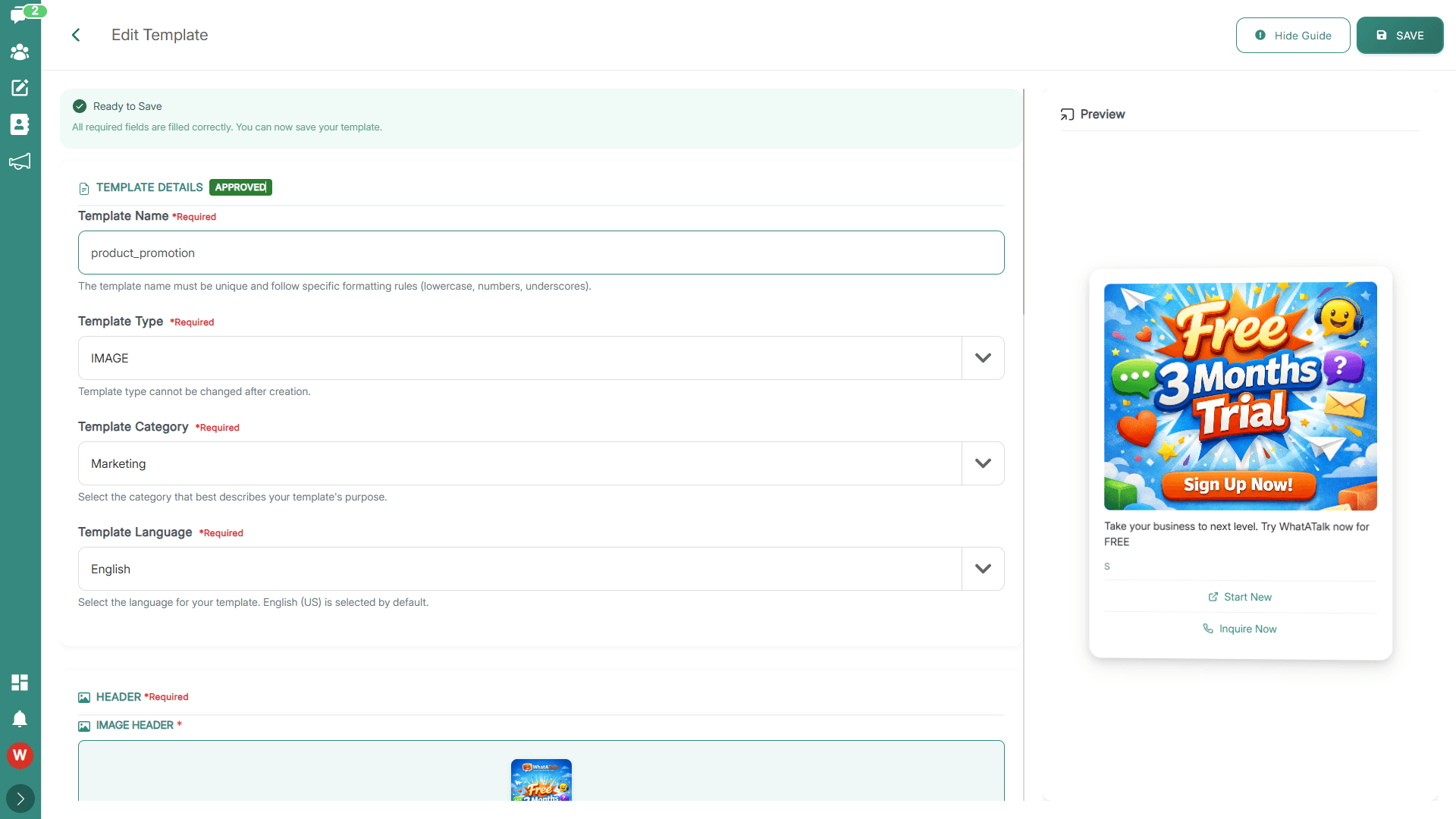
When you create a template in WhataTalk, it is automatically submitted to Meta for review. Once Meta approves the template, it becomes available for use in your campaigns and direct messages.
Template Categories
Meta categorizes templates into three main types, which define the nature of the message and also dictate the pricing associated with sending them. It is critical to select the correct category when creating a template, as Meta may reject templates that are miscategorized.
1. Marketing Templates
Purpose: To send promotional offers, informational updates, or invitations to users who have opted in. This is the most broad category.
Common Use Cases:
- Announcing a new product launch or sale.
- Sending personalized discount codes.
- Retargeting users who abandoned their shopping carts.
- Sending newsletters or company updates.
- Upselling or cross-selling products.
Example: "Hi {{1}}, our Summer Sale starts today! Use code SUMMER20 for 20% off all swimwear. Shop now: {{2}}"
2. Utility Templates
Purpose: To facilitate a specific, agreed-upon request or transaction, or provide an update to a customer about an ongoing transaction.
Common Use Cases:
- Order confirmations and shipping updates (e.g., "Your order {{1}} has shipped.").
- Account updates (e.g., "Your password has been reset.").
- Appointment reminders or confirmations.
- Billing statements or payment receipts.
- Opt-in confirmations.
Example: "Hello {{1}}, your appointment is confirmed for {{2}} at {{3}}. Reply 'Reschedule' to change the time."
3. Authentication Templates
Purpose: To authenticate users with one-time passcodes (OTPs), potentially at multiple steps in the login process (e.g., account verification, account recovery).
Common Use Cases:
- Sending a 2FA (Two-Factor Authentication) code.
- Verifying a new phone number during registration.
- Account recovery codes.
Example: "Your WhataTalk verification code is {{1}}. This code expires in 5 minutes. Do not share this code."
The Approval Process
- Creation: You create the template in WhataTalk, defining its category, language, and content (including variables and buttons).
- Submission: Upon saving, WhataTalk automatically submits the template via the API to Meta.
- Review: Meta's automated systems (and sometimes human reviewers) evaluate the template against their Commerce and Business Policies.
- Status Update: The template's status will update in WhataTalk:
- Pending: Currently under review (usually takes minutes to a few hours).
- Approved: Ready to be used in campaigns and messages.
- Rejected: Meta rejected the template. You will usually see a reason (e.g., policy violation, incorrect category) and must edit and resubmit it.
- Paused: If a template is generating negative feedback (users blocking or reporting your business), Meta may pause it.
- Disabled: If a paused template continues to receive negative feedback, it may be permanently disabled.