
Campaign Overview
In WhataTalk, a Campaign is the process of sending a single WhatsApp template to multiple recipients simultaneously. It is the core tool for proactive, outbound communication.
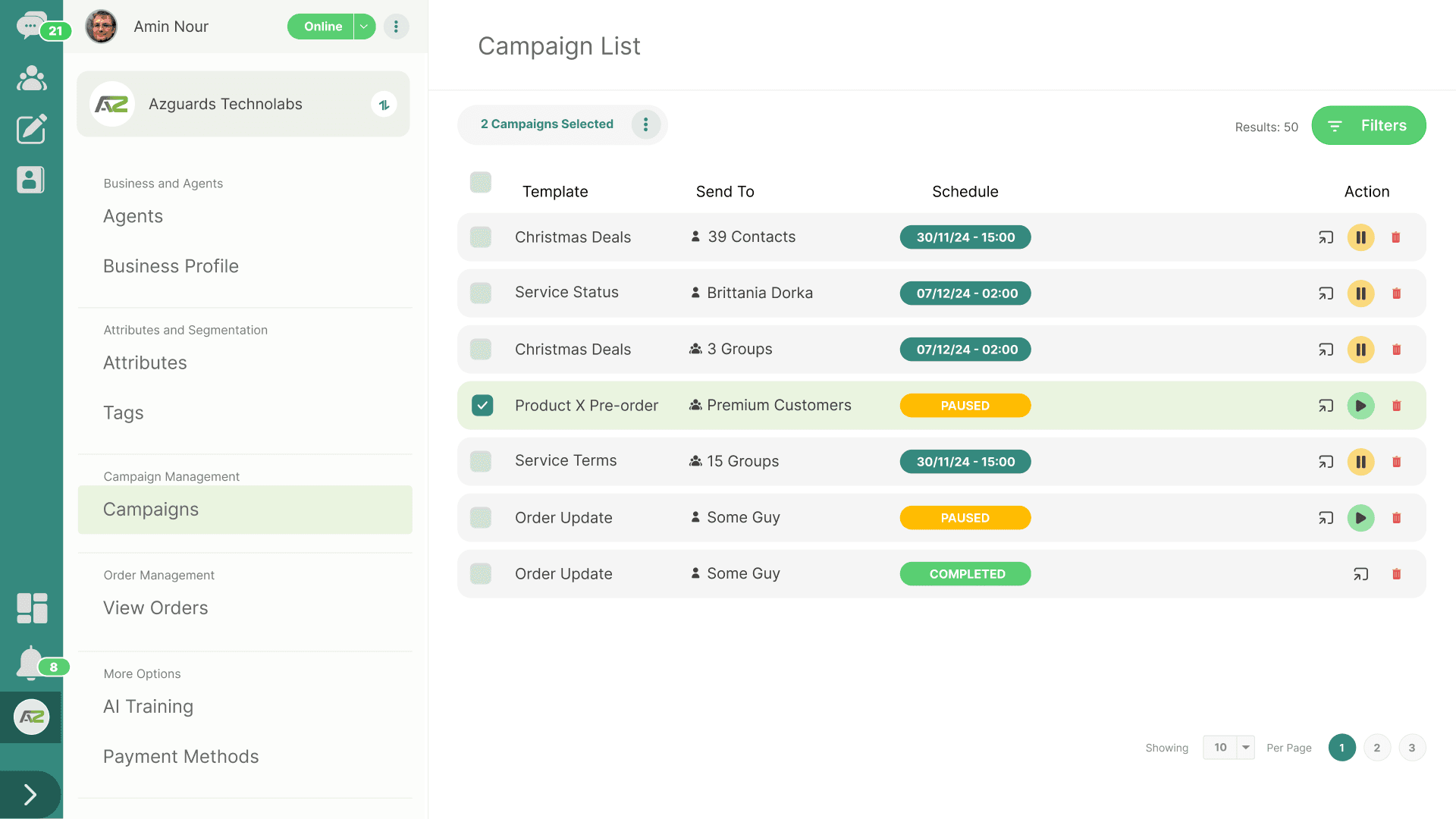
What is a Campaign in WhataTalk?
In WhataTalk, a Campaign is the process of sending a single WhatsApp message to multiple recipients simultaneously. It is the core tool for proactive, outbound communication.
Because you are sending messages to users who likely haven't interacted with your business in the last 24 hours, all campaigns can only use a pre-approved Meta Message Template.
Purpose of Campaigns
Campaigns allow you to scale your communication efficiently. Instead of manually messaging 1,000 customers about a new product launch, you configure a single campaign to deliver personalized messages to all of them at once.
Common use cases include:
- Marketing & Promotions: Announcing sales, new collections, or exclusive offers.
- Utility & Notifications: Sending out bulk system updates, event reminders, or important policy changes.
- Re-engagement: Reaching out to dormant customers with a special offer to bring them back.
The Campaign Lifecycle
Managing a campaign involves four primary stages, which are covered in detail in the subsequent guides:
- Setup & Content (5.2): Selecting the approved template and mapping its dynamic variables to your contact data to ensure each recipient gets a personalized message.
- Targeting (5.3): Defining exactly who will receive the message. This is critical for ROI and maintaining a high quality rating with Meta. You can target individual contacts, predefined Broadcast Groups, or dynamic Segments based on user attributes and tags.
- Scheduling & Sending (5.4): Deciding when the message goes out. You can execute the campaign immediately or schedule it for an optimal time in the future.
- Monitoring & Analytics (Reporting): After the campaign runs, you track its performance how many messages were successfully delivered, read, and if any failed.
Key Considerations for Campaigns
- Meta's Tier Limitations: Your WhatsApp Business Account has messaging limits (Tiers). When you first start, you might be limited to sending 250 or 1,000 business-initiated conversations in a rolling 24-hour period. As you send high-quality campaigns and build a good reputation, Meta automatically increases this limit (to 10k, 100k, or unlimited). You must plan your campaign sizes accordingly.
- Quality Rating: Sending irrelevant campaigns to users who haven't opted in will lead to blocks and reports. This lowers your phone number's quality rating (from Green to Yellow or Red), which can restrict your messaging limits or result in Meta pausing your templates. Always ensure high relevance and clear opt-out instructions.
- Cost: Remember that every delivered template message incurs a cost based on Meta's new per message-based pricing model, categorized by the template type (Marketing, Utility, etc.).
Accessing Campaigns
To start building a campaign, navigate to the Campaigns section in the WhataTalk sidebar (often labeled as Setup Campaign, /setup-campaign).