Payment Management (Meta Billing)
A guide to Meta WhatsApp API billing: per-message pricing, marketing vs utility templates, free messaging windows, and how to manage payments.
Overview
Understanding how billing works is crucial when using the WhatsApp Business API via WhataTalk. There are two separate billing components you must manage:
- WhataTalk Subscription: You pay WhataTalk for the use of the platform software (the inbox, the campaign builder, agent seats, etc.). This is managed within the WhataTalk settings.
- Meta Message Charges: You pay Meta (Facebook) directly for the actual cost of sending messages on the WhatsApp network. WhataTalk does not handle these charges.
This document explains the Meta billing component.
Meta's Per-Message Pricing Model
Meta has updated its billing structure from a conversation-based model to a per-message pricing model. Businesses are now charged for each individual template message that is successfully delivered, rather than a single fee for a 24-hour conversational window.
Message Categories
The cost per message depends on the category of the template used and the recipient's country code. There are three paid message categories:
- Marketing: The most expensive category. Used for promotions, offers, newsletters, and announcements.
- Utility: Used for specific, agreed-upon updates like order confirmations, billing statements, or appointment reminders. Meta offers volume-based discounts for utility messages based on your total sent volume.
- Authentication: Usually the lowest cost among paid templates. Used for sending One-Time Passwords (OTPs) and account recovery codes. Volume discounts also apply here.
Important: The exact price per message varies significantly depending on the country code of the user you are messaging (e.g., messaging a UK number costs a different amount than messaging an Indian number).
Free Messaging Features
Under the new pricing model, Meta has introduced significant free messaging benefits:
- Free Service Messages: When a customer messages you first, a 24-hour customer service window opens. Any free-form replies (Service messages) you send back within those 24 hours are completely free of charge.
- Free Utility Messages in Service Window: Utility template messages sent within this open 24-hour customer service window also do not incur charges.
- Free Entry Point (FEP) Window: Customers who initiate a conversation through Click-to-WhatsApp Ads or Facebook Page call-to-action buttons open an extended 72-hour free messaging window.
Note: Marketing and Authentication template messages are always paid, regardless of whether a service window is open.
Managing Payments in Meta Business Manager
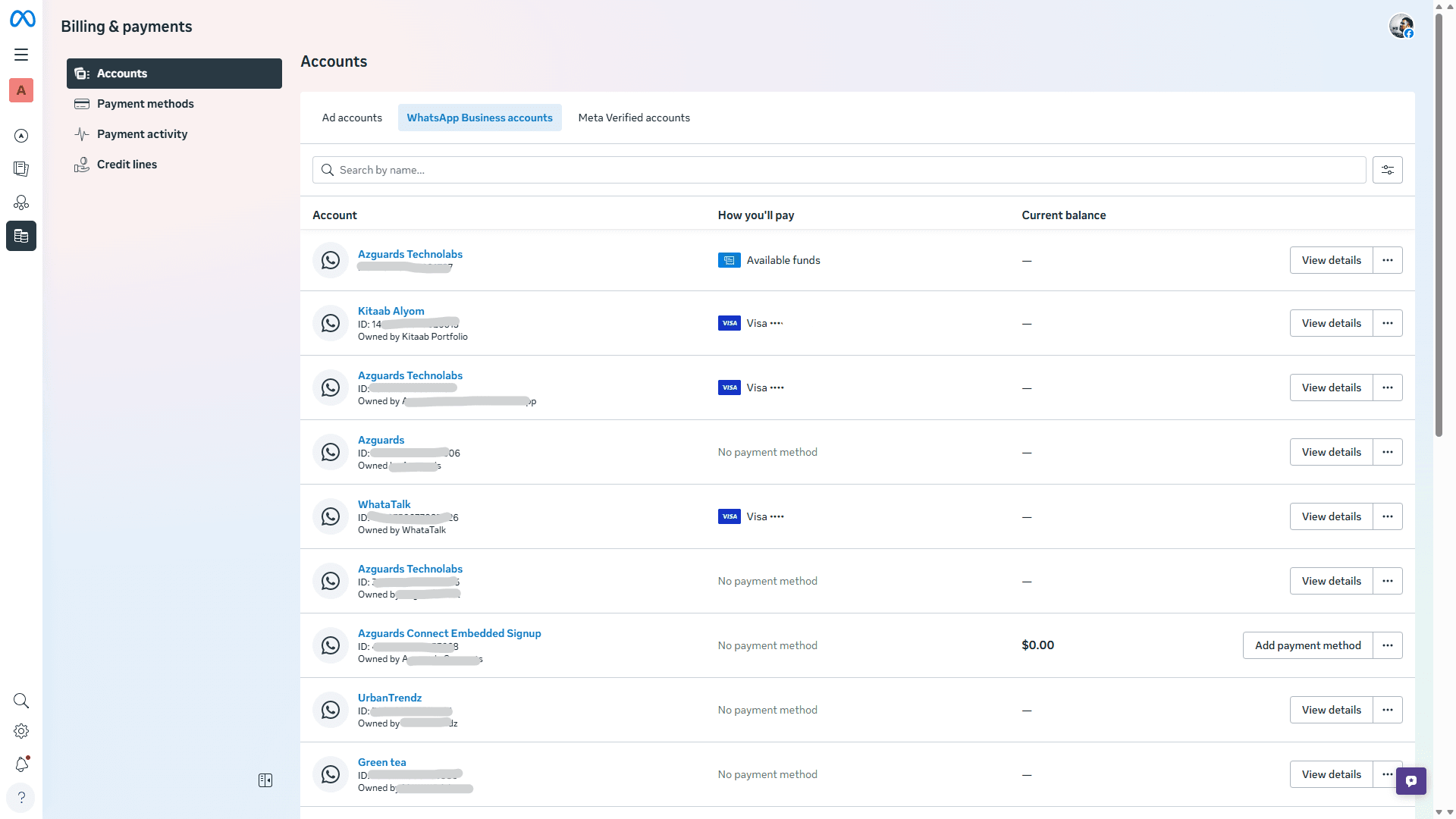
Because Meta bills you directly for these API charges, you must configure your payment method within their systems. If your payment method fails, Meta will restrict your ability to send messages, even if your WhataTalk subscription is active.
How to Add a Payment Method:
- Log in to your Meta Business Manager. Ensure you are logged in with the Facebook account that has Admin access to the WABA connected to WhataTalk.
- In the left-hand sidebar, scroll down to Billing & Payments or Payment Methods.
- Alternatively, navigate to WhatsApp Accounts > Select your account > Settings > Payment Settings.
- Click Add Payment Method.
- Enter your credit card or designated billing details.
- Ensure this card has sufficient funds or credit limit to cover your expected campaign volumes.
Billing Cycles
Meta typically bills you monthly or when your account reaches a specific billing threshold (e.g., every time you spend $100). You can view your current usage, invoices, and billing thresholds within the Meta Business Manager's Billing section.
Best Practice: Always ensure a valid, funded credit card is attached to your Meta Business Manager to prevent sudden service interruptions during a critical campaign.