
Targeting: Selecting Your Audience
Targeting is the process of deciding which contacts will receive your campaign. WhataTalk provides three distinct methods for building your audience: Groups, Contacts, and Segments.
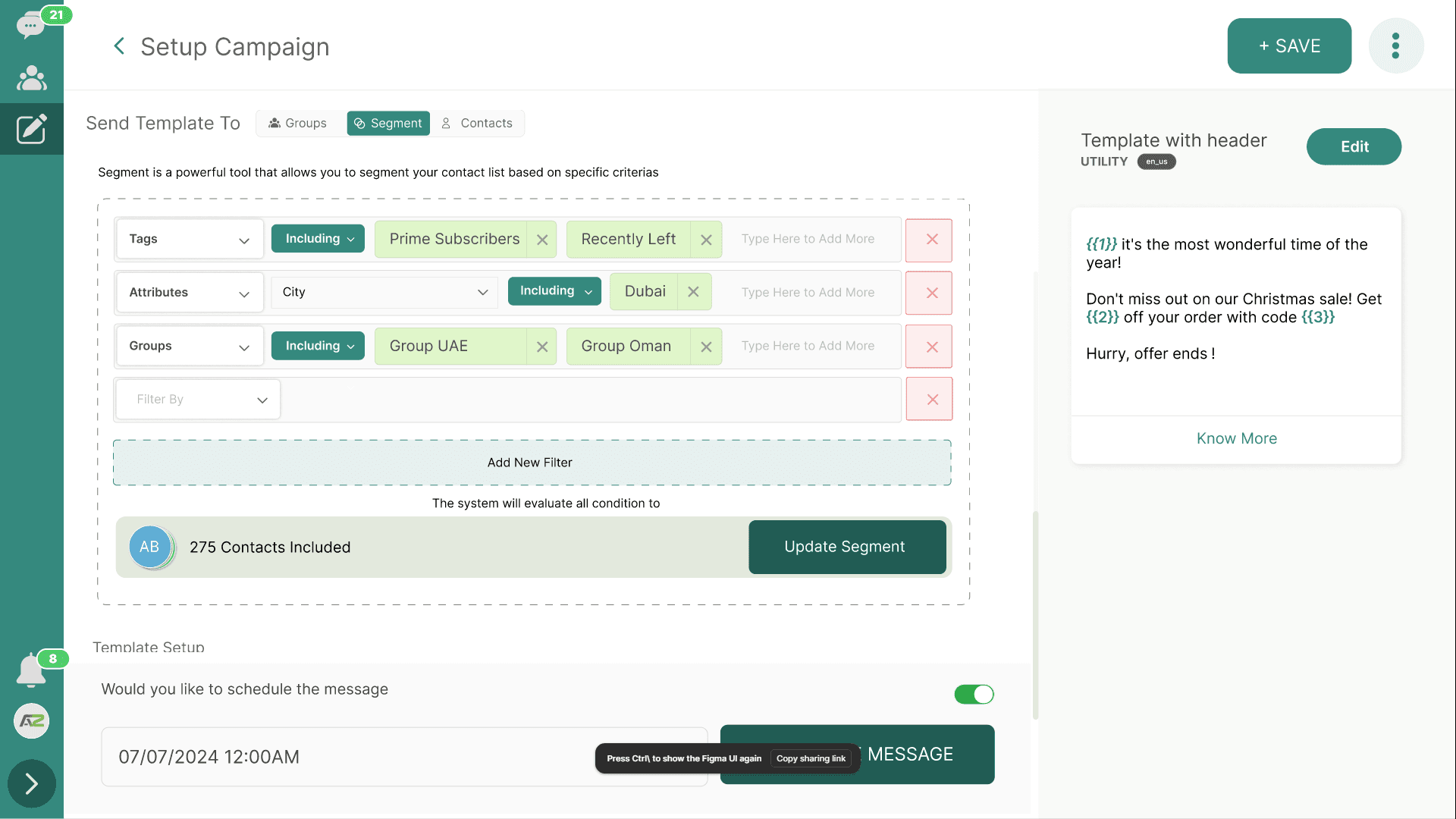
1. Targeting Broadcast Groups

Broadcast Groups are static lists of contacts that you manage manually (see Section 6 for details on creating them). This is the simplest way to send a campaign to a predefined list.
How to Use:
- In the Campaign Setup interface, navigate to the Select Audience or Targeting section.
- Select the "Broadcast Groups" tab.
- A list of all your created groups will appear.
- Use the search bar to find specific groups or scroll through the list.
- Check the box next to one or multiple groups (e.g., "Newsletter Subscribers" AND "VIP Customers").
Important Note on Duplicates: If a single contact exists in multiple selected groups, WhataTalk's system will automatically deduplicate the list. The contact will only receive the campaign message once.
2. Targeting Individual Contacts
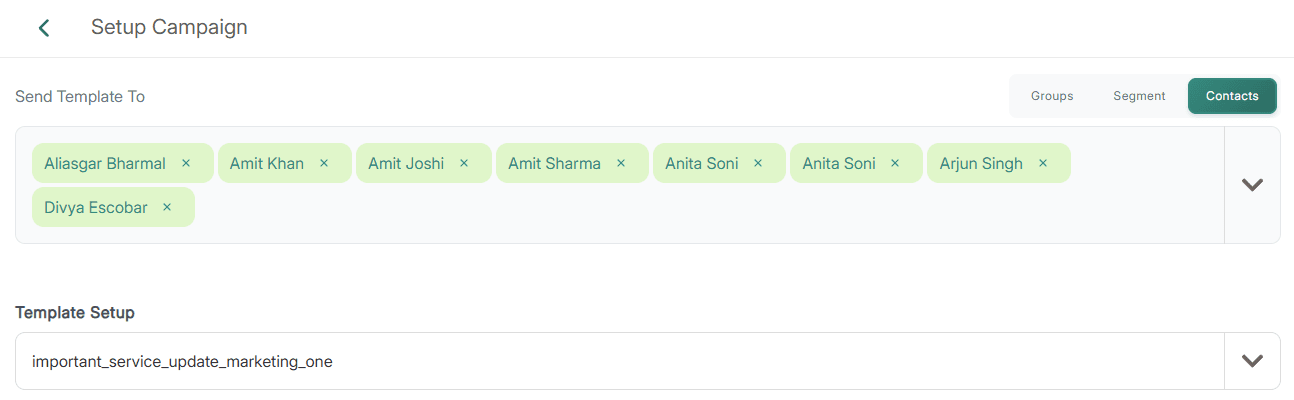
Sometimes you need to send a specific template to a very small, hand-picked group of people, rather than an entire list.
How to Use:
- Select the "Contacts" tab in the targeting section.
- Use the search bar to find contacts by their Name or Phone Number.
- Check the box next to individual contacts to add them to the campaign recipients list.
- This method is typically used for targeted follow-ups, testing a campaign on a few internal numbers before a massive blast, or handling specific customer service scenarios in bulk.
3. Targeting Segments (Dynamic Filtering)
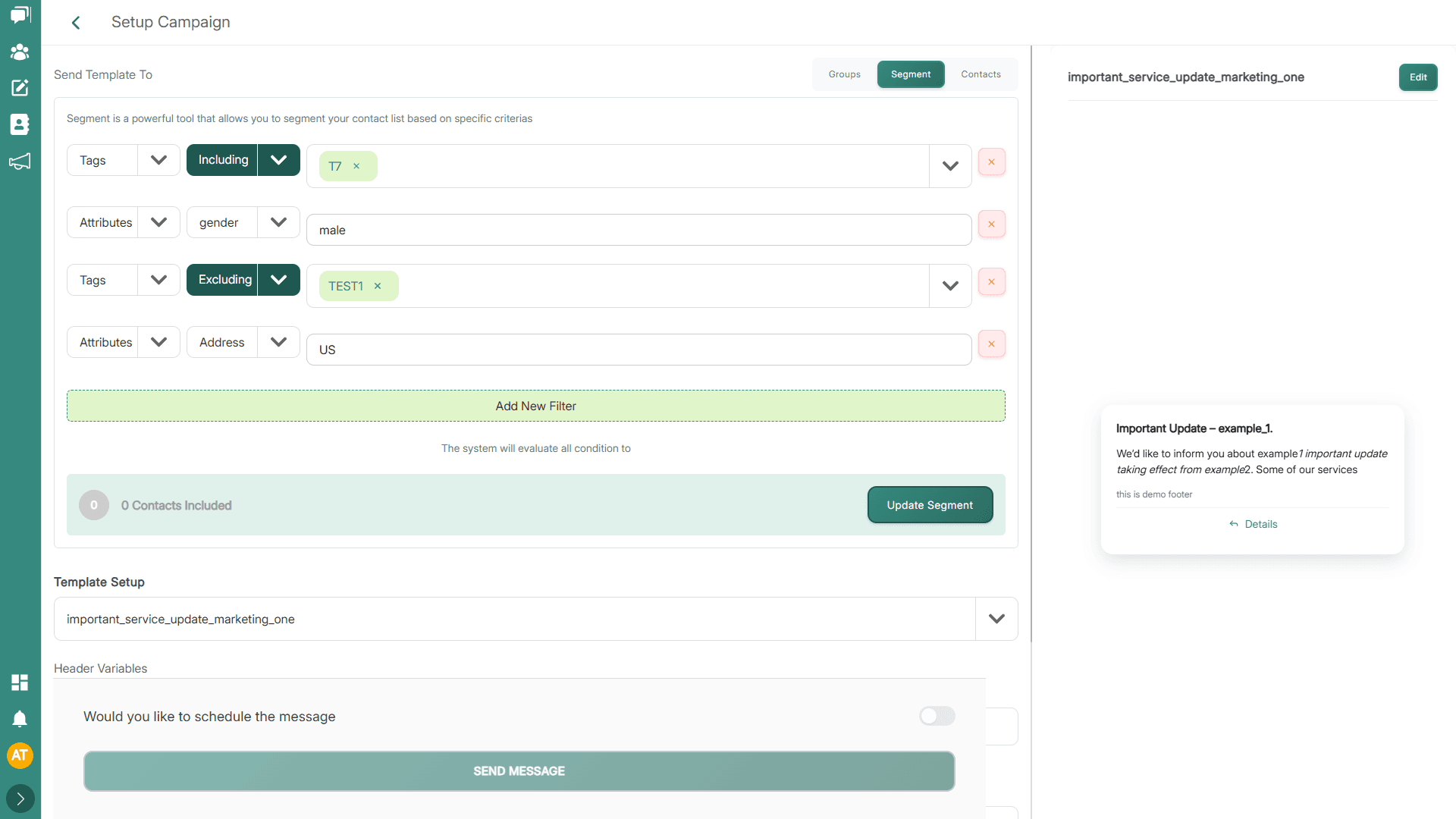
Segments are the most powerful targeting tool. Unlike static groups, segments are dynamic—they are built on the fly using filters based on Tags and User Attributes.
Why Use Segments?
If you want to send a campaign to "everyone in New York who is tagged as a Lead," creating a static group requires constantly manually updating the list. A segment applies the filter at the exact moment the campaign is sent, ensuring the list is perfectly up to date.
How to Use:
- Select the "Segments" (or "Filters") tab.
- You will see an interface to build rules.
- Filter by Tags:
- Select "Tags" as the criteria.
- Choose "Includes" or "Excludes".
- Select one or more tags (e.g., Include
VIP, ExcludeOpted_Out).
- Filter by User Attributes:
- Select an attribute (e.g.,
City). - Choose an operator (e.g.,
Equals,Contains,Is Greater Thanfor numbers). - Enter the value (e.g.,
New York).
- Select an attribute (e.g.,
- Combining Filters: You can usually stack multiple filters. By default, this often uses "AND" logic (e.g., Tag = VIP AND City = London).
Audience Estimation
As you apply filters, WhataTalk should provide an Exact Audience Size. This tells you roughly how many contacts match your segment criteria, helping you gauge the scale of the campaign and ensure you aren't exceeding your Meta messaging limits.
4. Exclusions (Suppressions)
Regardless of how you build your primary audience (Groups or Segments), you almost always have the option to Exclude certain people. This is a critical safety measure to prevent sending marketing messages to people who have recently complained or explicitly opted out.
Finalizing the Audience
Once you have defined your Groups, Contacts, or Segments (and applied any exclusions), the system will calculate the final, deduplicated list of recipients. You can then proceed to the final step: Scheduling.