
Business & Users Onboarding
•Multi-Tenancy (Business Switching)
WhataTalk is designed to support Multi-Tenancy, a powerful architecture that allows a single user login to access and manage multiple distinct business entities or brands from one unified dashboard.
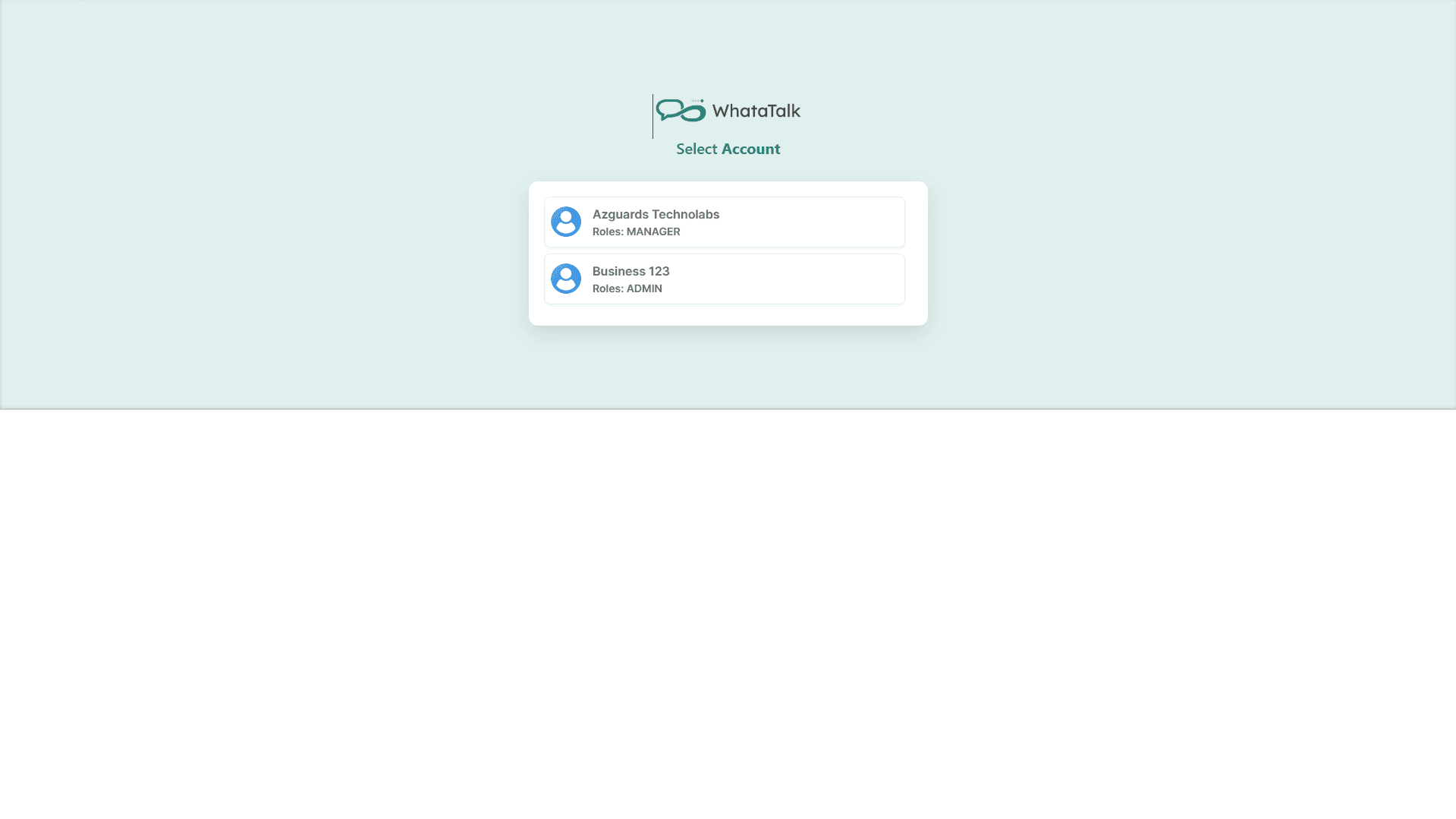
How Multi-Tenancy Works
In WhataTalk, each "Business" acts as a completely isolated workspace (a "tenant").
When you are logged into "Business A":
- You only see the Contacts for Business A.
- You only see the Conversations for Business A's phone number.
- You only see the Templates approved for Business A's WABA.
- You only see Campaigns sent by Business A.
The data is strictly segregated.
Seamless Switching Between Businesses
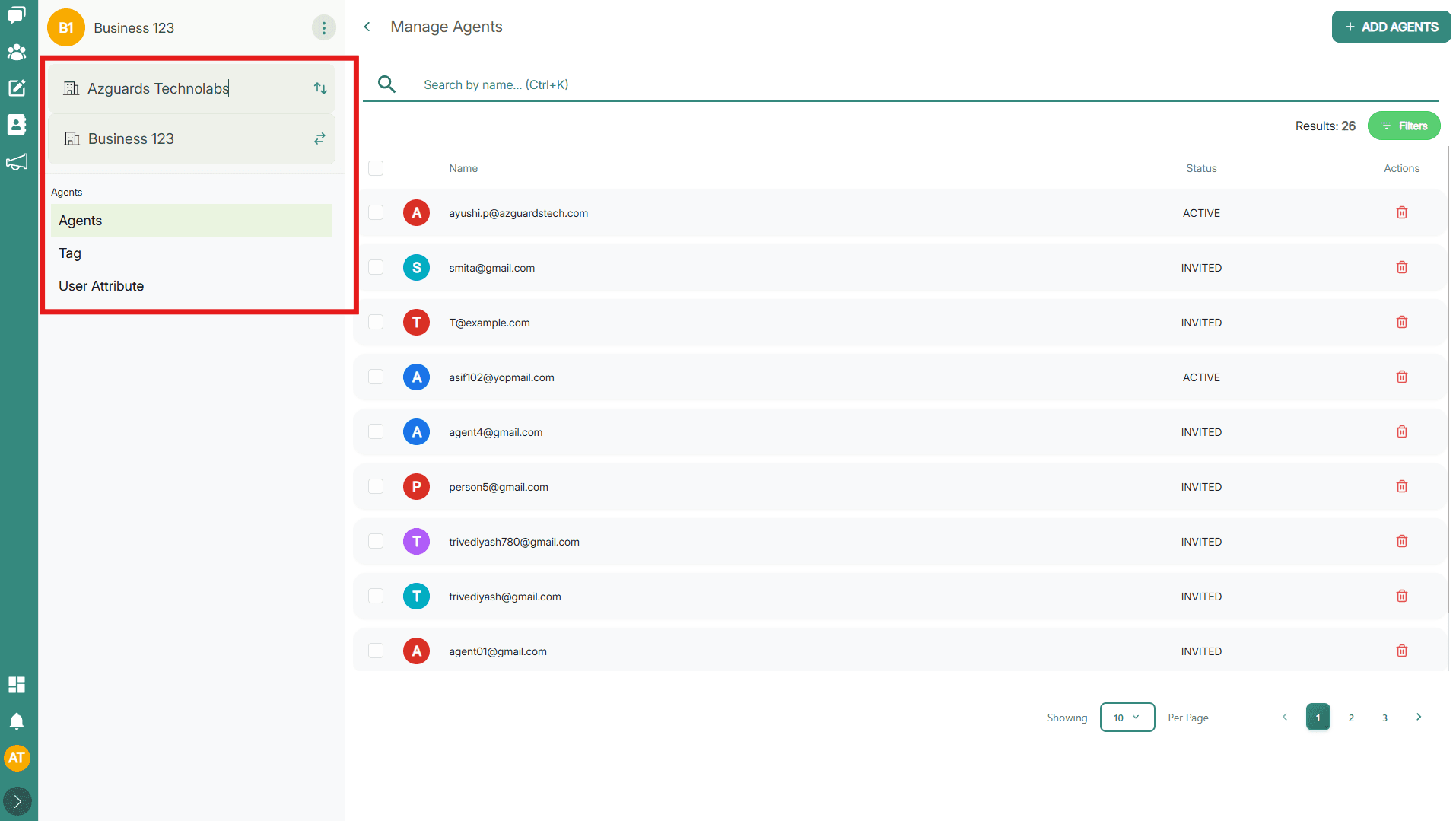
Navigating between workspaces is designed to be seamless.
- Locate the Business Switcher. This is typically a dropdown menu found in the top-left corner of the dashboard header, or prominently at the top of the main navigation sidebar. It usually displays the name of the business you are currently viewing.
- Click on the current Business Name to open the dropdown list.
- You will see a list of all businesses you have been invited to or have created.
- Select the Business you wish to manage.
- The entire WhataTalk interface will immediately reload, populating the dashboard, inbox, and settings with the data belonging to the newly selected business.
Managing Access and Permissions
Because each business is isolated, user access is also managed on a per-business basis.
- Invitations: You do not automatically have access to every business on the platform. You must be explicitly invited to a specific business by its Owner or Admin.
- Role Variability: Your role and permissions can change depending on which workspace you are in.
- Example: You might be the "Owner" (Super Admin) of "My Startup Inc.", but you might only be invited as an "Agent" (limited to replying to messages) in "Partner Agency LLC".
- Centralized Login: Despite the segregated data and varied roles, you only ever need to remember one email address and one password to log in to WhataTalk. The Business Switcher handles the rest.