Active vs Archived Conversations
Conversations are categorized into Active and Archived to help you manage your inbox effectively.
Overview
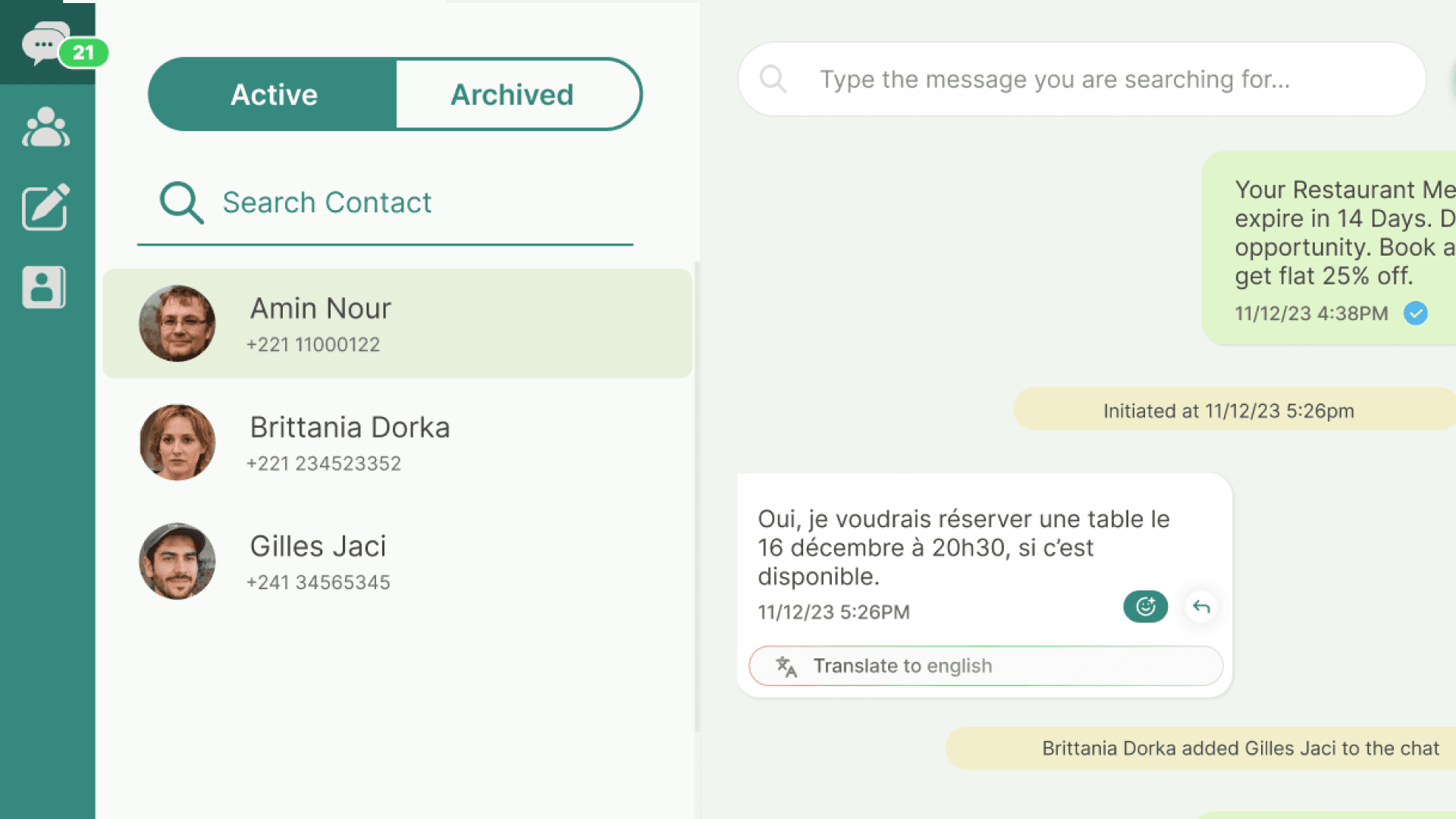
Meta classifies every conversation based on whether an active service window is open or not. In WhataTalk, this maps to two conversation states visible in your inbox Active and Archived.
The state determines what kind of messages your business can send in that particular thread and transitioning between them happens automatically.
Active Conversations
Meta terminology: Active service window is open.
In WhataTalk, this conversation appears under the Active tab. A service window is open, which means the last inbound customer message was received within the past 24 hours.
This window opens automatically whenever a customer sends a message to your business number. While the window is open, your agents can send any type of messages including free-form text, media, locations, interactive and templates without restriction.
Key points:
- The service window lasts 24 hours from the customer's last inbound message.
- Once the window expires, the conversation is automatically archived.
- A new inbound message from the customer reopens the window and moves the conversation back to Active.
Archived Conversations
Meta terminology: No active service window.
In WhataTalk, this conversation appears under the Archived tab. The 24-hour service window has expired, meaning no inbound customer message has been received recently.
Because the 24-hour window has closed, your business can only reach the customer by sending a pre-approved Message Template. Free-form messages are not permitted.
Key points:
- Archiving happens automatically when the 24-hour service window expires you do not need to archive conversations manually.
- Unarchiving also happens automatically when the customer replies, reopening the service window.
- Archived conversations remain fully accessible and searchable in the Archived tab.
[NOTE] Sending a template message to an outbound number does not open or reactivate a service window. The conversation will remain archived. A service window only opens when the customer sends a message to your number.